各位師生您好:
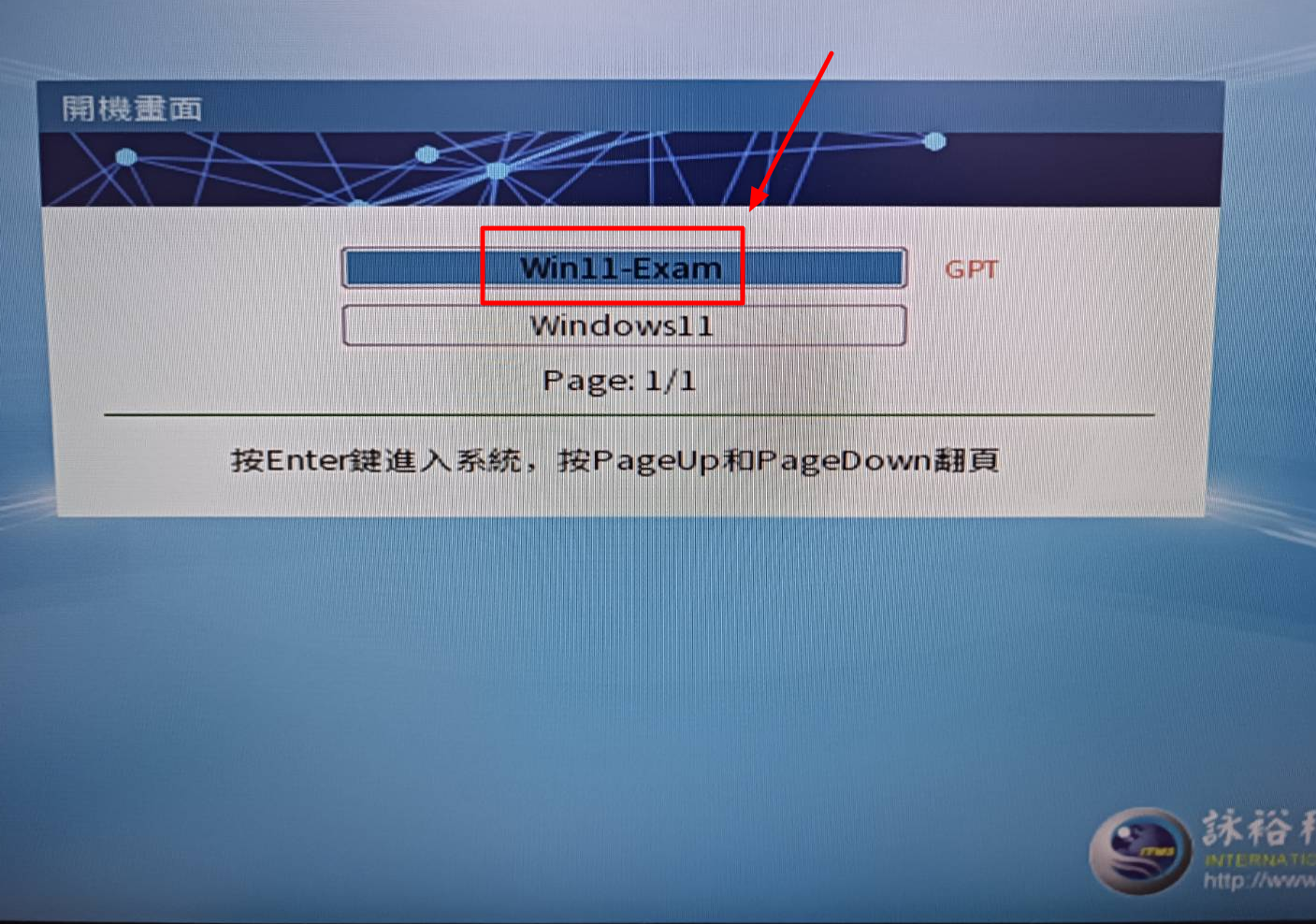
因應期中考試需求,資訊處已於部分電腦教室建置安全考試環境。如需使用 i-learning 2.0 安全測驗瀏覽器(Safe Exam Browser,SEB)進行考試,請於電腦開機時選擇「Win11-Exam」系統,以利測驗順利進行。
一、電腦教室建置情形
-
已完成建置:管理101、教學705。
-
預計11月11日(三)建置:教學708、教學709、教學715(實際啟用以資訊處確認為準)。
二、考試注意事項
-
請授課教師於正式考試前,先行確認測驗設定及電腦教室考試環境。
-
使用安全測驗瀏覽器(SEB)時,請於開機選單選擇「Win11-Exam」,再依測驗設定進行考試。
-
若考試過程中發生無法開啟安全瀏覽器或其他異常,請即時反映,以利協助處理。
三、問題諮詢
-
電腦教室設備及系統環境:資訊處(校內分機1999)。
-
i-learning 2.0 測驗設定:教務處教師教學發展中心(校內分機2043)。
感謝各位師生的配合!
中原大學 教務處 教師教學發展中心
Dear Faculty Members and Students,
To support midterm examinations, the Office of Information Technology has prepared a secure examination environment in selected computer classrooms.
For i-learning 2.0 examinations requiring Safe Exam Browser (SEB), please select "Win11-Exam" from the computer's boot menu before starting the examination.
1. Computer Classroom Availability
-
Available: Management Building Room 101 and Teaching Building Room 705.
-
Scheduled for setup on November 11 (Wednesday): Teaching Building Rooms 708, 709, and 715 (subject to confirmation by the Office of Information Technology).
2. Important Examination Reminders
-
Instructors are advised to verify quiz settings and test the examination environment before the scheduled exam.
-
For examinations requiring SEB, select "Win11-Exam" from the boot menu and follow the examination instructions.
-
If SEB fails to launch or other technical issues occur, please report the problem promptly for assistance.
3. Technical Support
-
Classroom computers and system environment: Office of Information Technology (Extension 1999).
-
i-learning 2.0 quiz settings: Center for Teaching Excellence, Office of Academic Affairs (Extension 2043).
Thank you for your cooperation.
Center for Teaching Excellence
Office of Academic Affairs
Chung Yuan Christian University